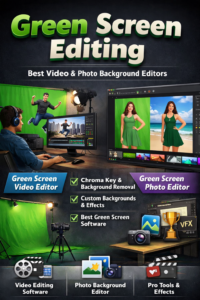
Green Screen Video Editor – Complete Guide
In today’s digital world, video content plays a major role in marketing, filmmaking, YouTube, and social media. One powerful technique that enhances video production is green screen editing. A Green Screen Video Editor allows creators to replace backgrounds, add visual effects, and create professional-quality videos easily.
This guide explains everything about a green screen editor, the best video editor for green screen, key features, and its advantages.
What is a Green Screen Video Editor?
A Green Screen Video Editor is video editing software that allows you to remove a green (or blue) background from footage and replace it with any image or video. This process is called chroma keying.
It is widely used in:
Movies
News broadcasting
YouTube videos
Online courses
Corporate videos
Real estate marketing
With a professional green screen editor, you can create cinematic effects without expensive locations.
Best Video Editor for Green Screen
Choosing the best video editor for green screen depends on your needs, skill level, and budget. Below are some top professional tools used worldwide:
*Adobe Premiere Pro
One of the most powerful editing tools with advanced chroma key features.
Advantages:
Advanced Ultra Key effect
Professional color correction
Smooth integration with After Effects
High-quality output formats
Best for: Professionals & advanced editors
Filmora
Beginner-friendly green screen editor.
Advantages:
Easy drag-and-drop editing
Simple chroma key tool
Affordable pricing
Affordable pricing
Best for: Beginners & small creators
Advantages of Using a Green Screen Video Editor
Using a professional Green Screen Video Editor provides many benefits:
Professional Look
You can create studio-quality videos from home.
Cost-Effective Production
No need to travel to expensive locations.
Creative Freedom
Add any background – beach, office, city, space, etc.
Marketing Enhancement
Perfect for ads, real estate promotions, and business presentations.
Better Engagement
Creative backgrounds increase viewer attention.
Brand Customization
Add branded backgrounds for corporate identity.
Easy Corrections
Fix background mistakes during editing.
Businesses use Green Screen Video Editor tools for:
Real estate property tours
Corporate presentations
E-learning courses
Product promotionsSocial media ads
It saves production costs while maintaining high visual standards.
Final Thoughts
A Green Screen Video Editor is an essential tool for modern content creators. Whether you’re a beginner or professional, choosing the right green screen editor can elevate your videos to a cinematic level.
If you want high-quality results, tools like Adobe Premiere Pro and DaVinci Resolve are excellent choices. For beginners, Filmora offers a simple and user-friendly experience.
Investing in the best video editor for green screen gives you creative control, professional quality, and strong audience engagement.